
We use cookies to improve your experience on our website. By browsing this website, you agree to our use of cookies.
Settings More Info
Ok, I've understood
Decline
Privay & Cookies Policy

XTM Monitoring – overview

Take control of your Monitoring operations with the VBox XTM Monitoring's intuitive web interface.

Designed for professionals, the browser-based dashboard offers real-time visibility into ATSC 3.0 broadcast streams, storage status, signal quality, and distribution activity — all in one streamlined view. Whether monitoring alerts, managing tuners, or pushing updates, the XTM interface delivers full command, flexibility, and security from anywhere.

Experience effortless broadcast data management – no software installation required.

System – Status

The XTM’s main dashboard provides a real-time overview of system status, including device name, current date and time, uptime, hardware details, and software versioning – all clearly displayed for quick diagnostics and system monitoring.

click to expand

Tuners – Status

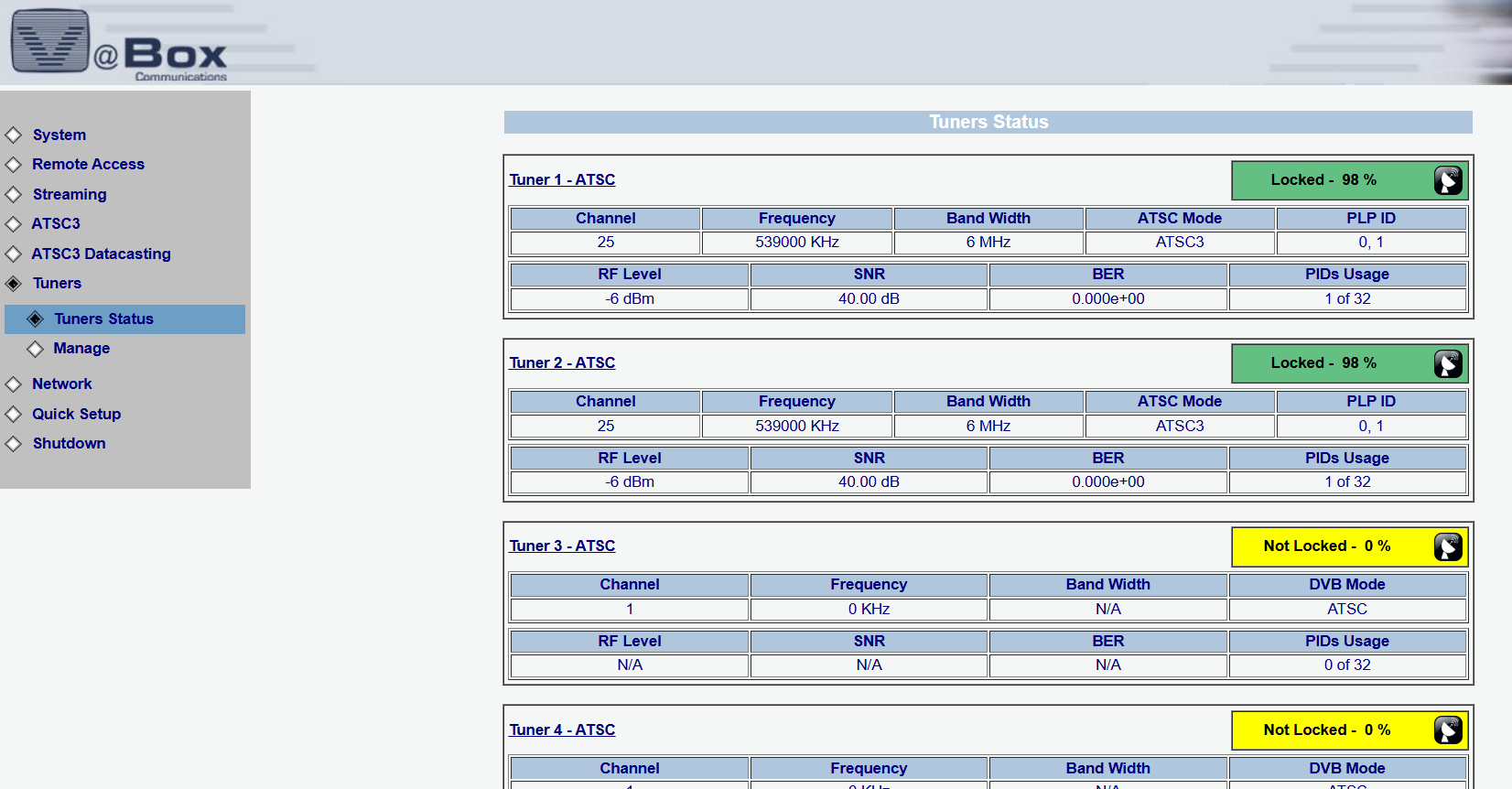
The Tuners Status page gives real-time insights into all active tuners, including channel, frequency, bandwidth, RF level, SNR, BER, and PIDs usage. Each tuner’s lock state and signal quality are clearly displayed, making it easy to monitor reception stability and diagnose signal issues across all ATSC 3.0 inputs.

click to expand

Streaming – Status

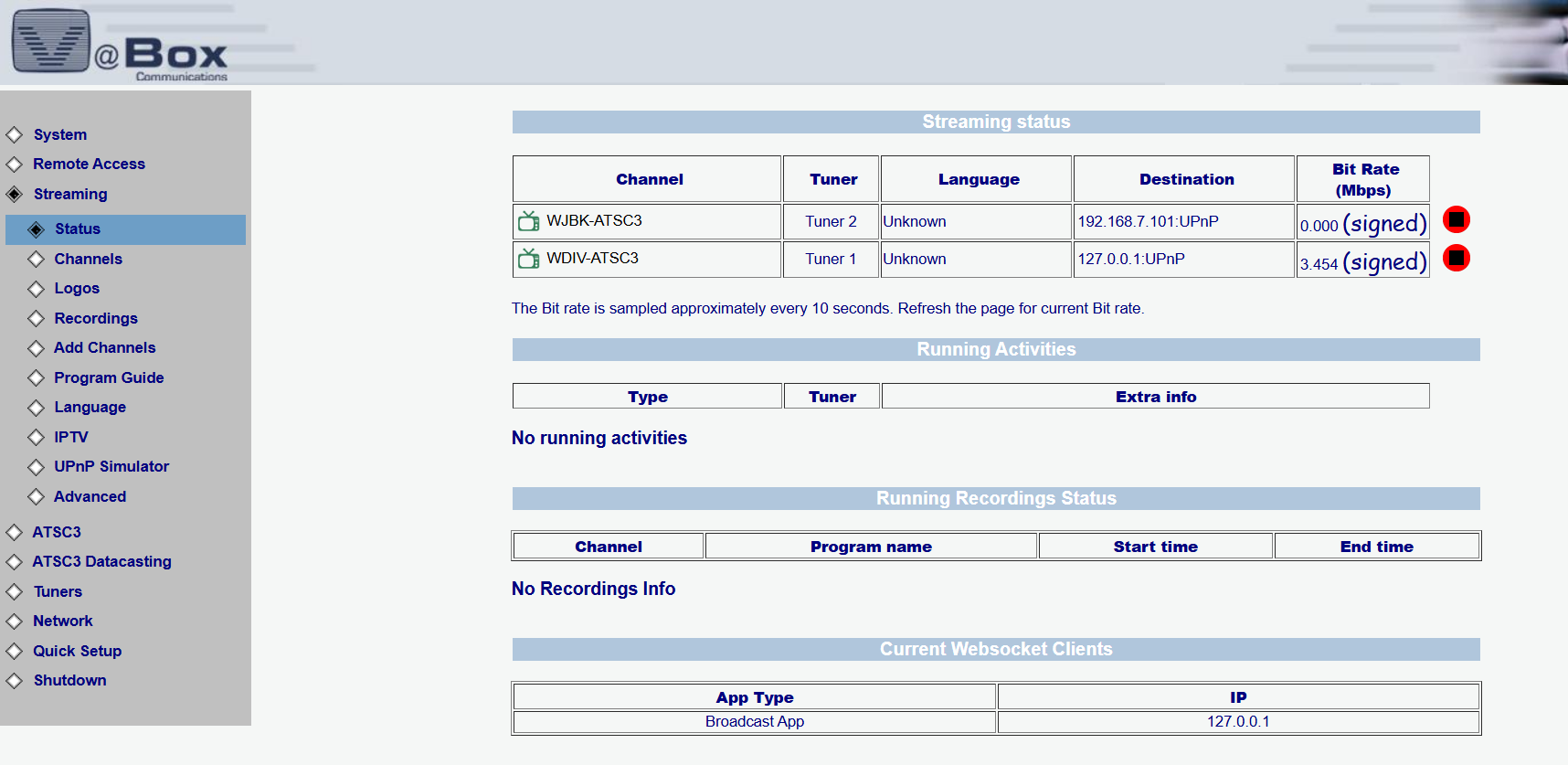
The ‘Streaming – Status’ page displays real-time data on active broadcast streams, including signal integrity, stream availability, and key diagnostics for monitoring performance and ensuring reliable delivery. This view helps technical teams quickly verify stream integrity and performance from the web interface.

click to expand

Streaming – Channels

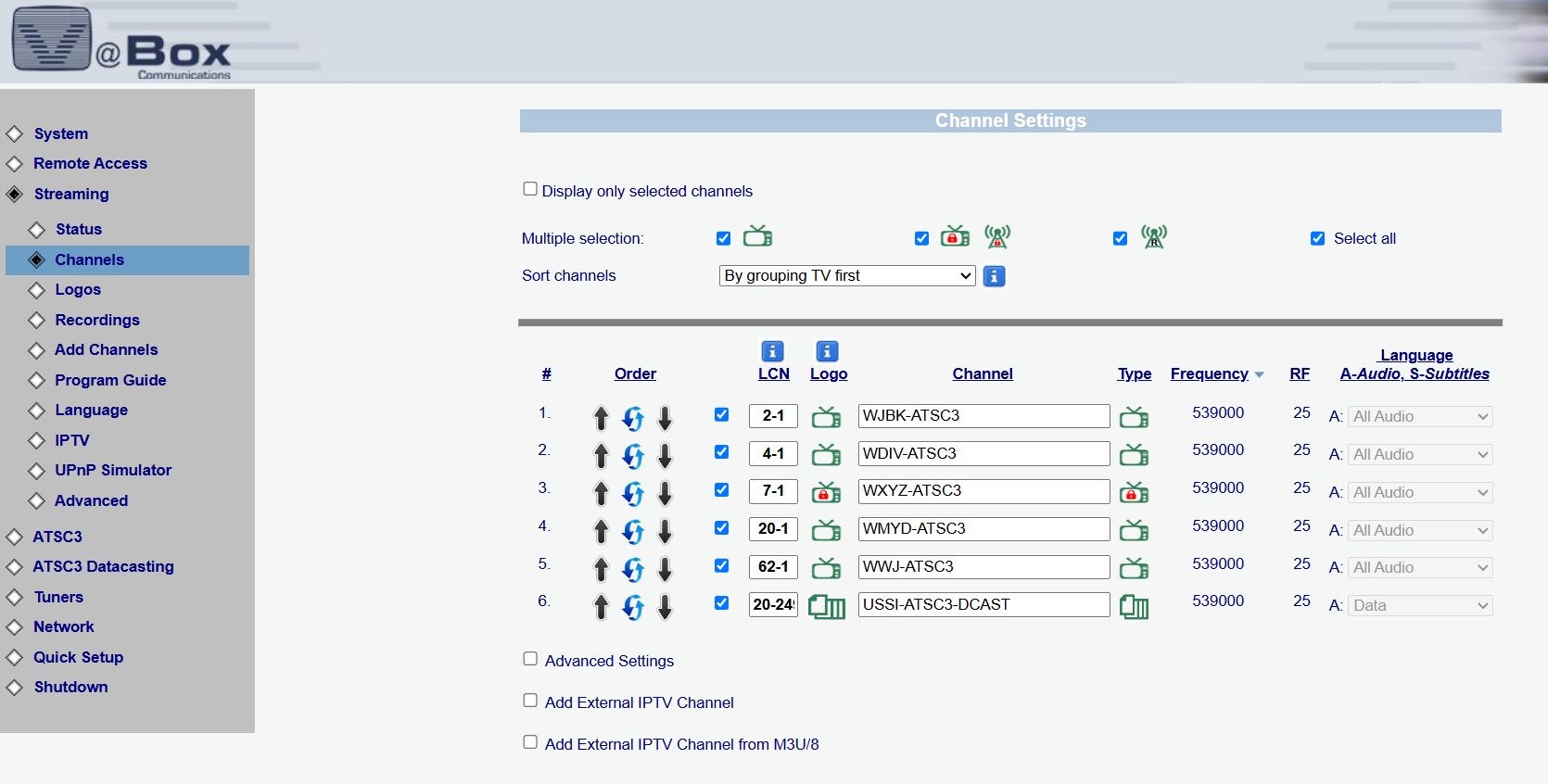
The ‘Streaming – Channels’ page displays all detected broadcast channels, including channel name, type, frequency, and language settings. It allows sorting, reordering, and selection for monitoring or streaming, providing full control over available content sources.

click to expand

ATSC 3.0 – Signalling

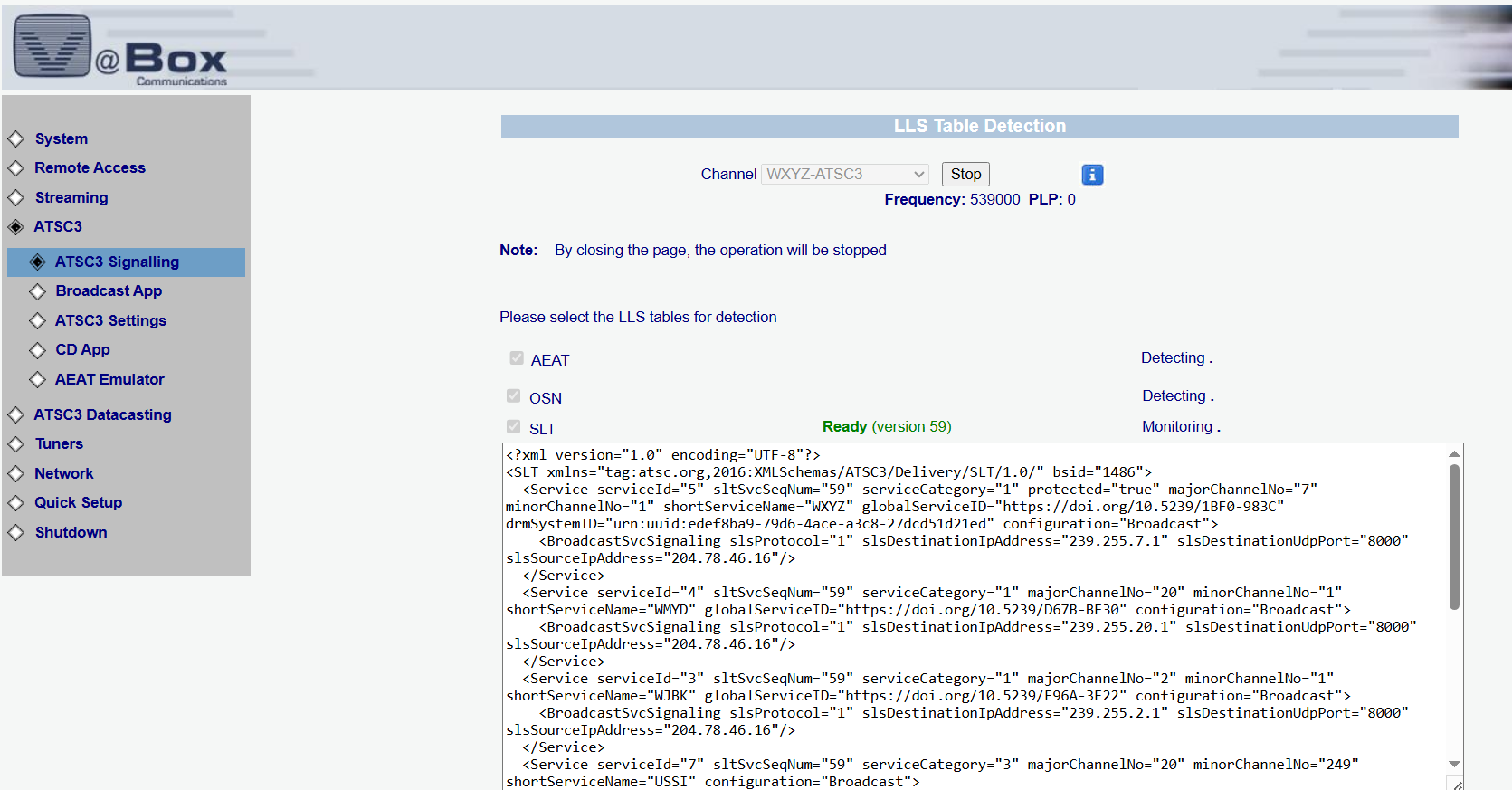
This section of the XTM interface enables in-depth monitoring of ATSC 3.0 signaling, including real-time detection and decoding of LLS tables such as AEAT, OSN, SLT, and RRT. Engineers can view raw XML service metadata, track PLPs, and verify broadcast configurations — essential tools for validating signal integrity and ensuring proper service delivery.

click to expand

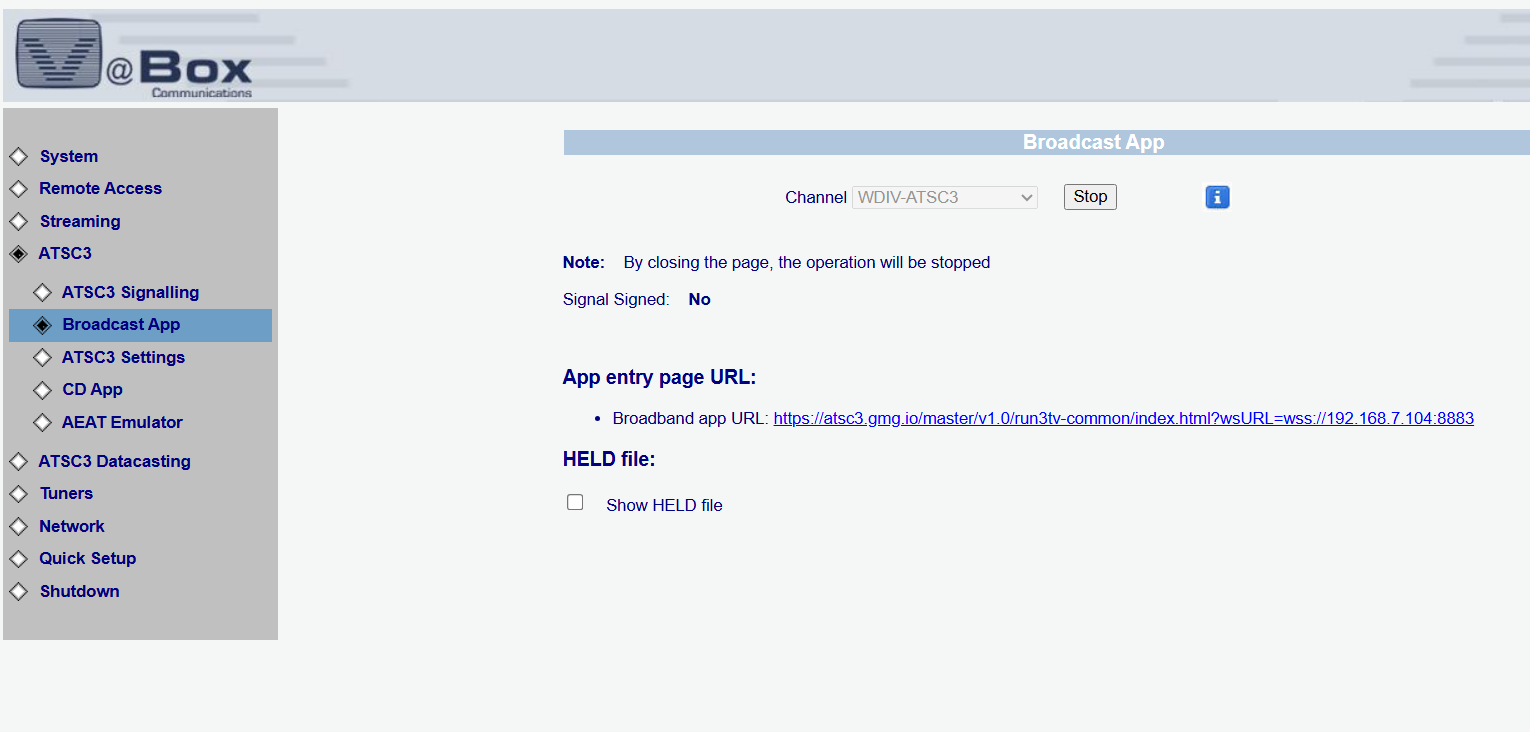
ATSC 3.0 – Broadcast App

The ‘Broadcast App’ page displays the broadband application linked to the selected ATSC 3.0 channel. It provides the app’s entry page URL for viewing and testing, and indicates the signal’s signing status. This interface enables verification of broadcast app availability and connectivity in real time.

click to expand

The Broadcast App

This interface view shows the ATSC 3.0 Broadcast App in action. The app presents a structured, interactive menu with access to live content, news segments, weather updates, and feature programs—offering viewers a dynamic and personalized content experience directly through their broadcast signal.

click to expand