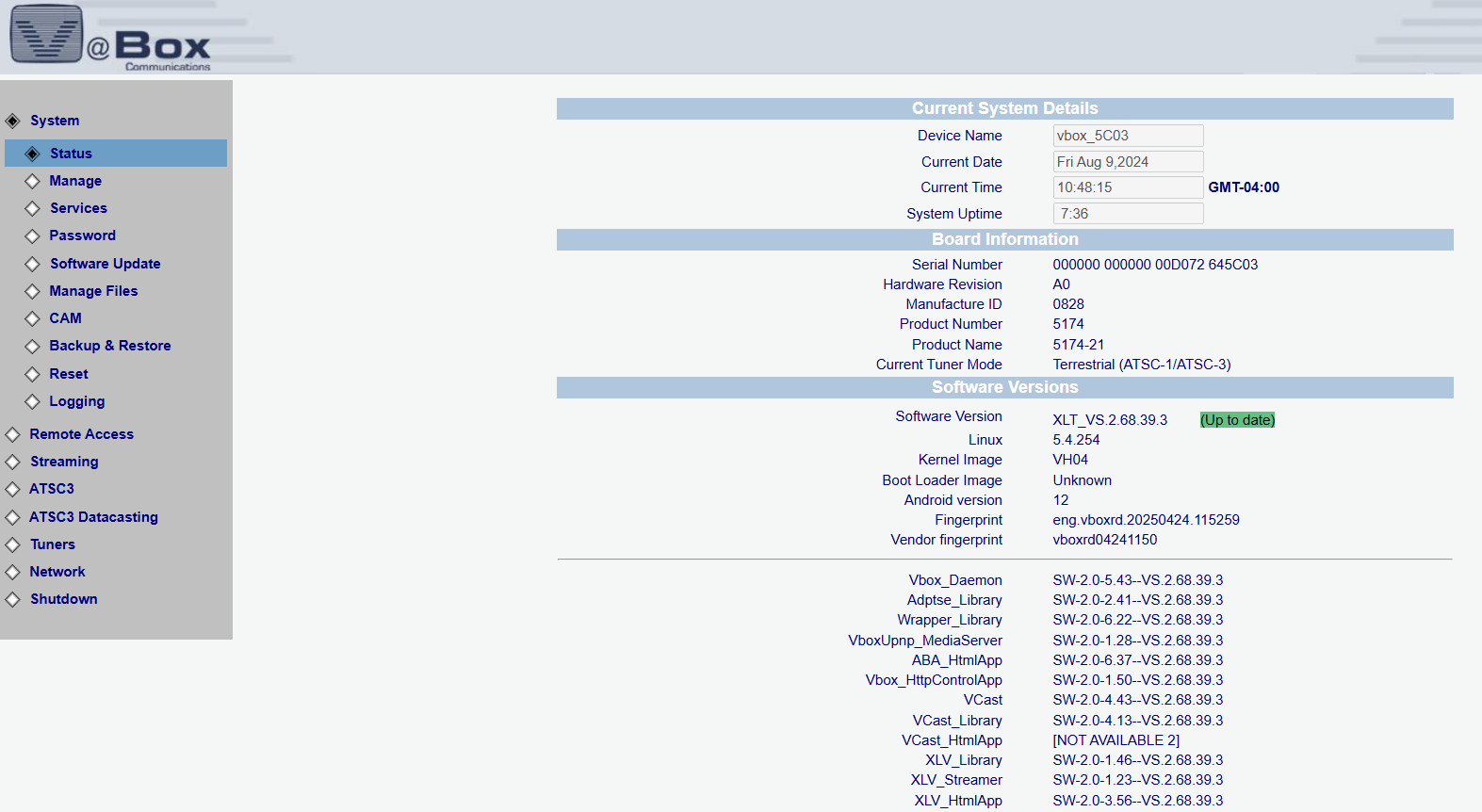
The XLT’s main dashboard provides a real-time overview of system status, including device name, current date and time, uptime, hardware details, and software versioning – all clearly displayed for quick diagnostics and system monitoring.
click to expand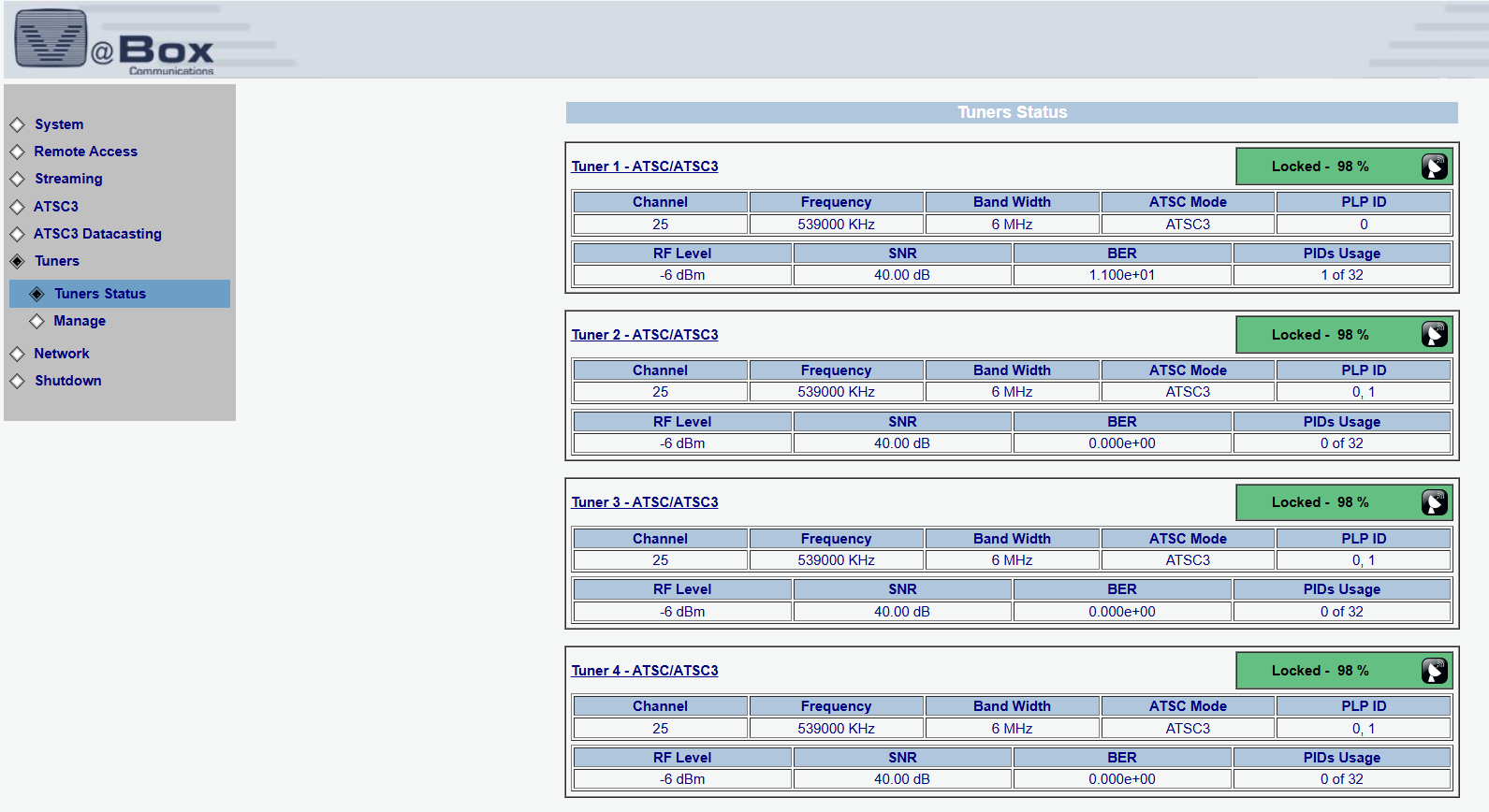
The Tuners Status page gives real-time insights into all active tuners, including channel, frequency, bandwidth, RF level, SNR, BER, and PIDs usage. Each tuner’s lock state and signal quality are clearly displayed, making it easy to monitor reception stability and diagnose signal issues across all ATSC 3.0 inputs.
click to expand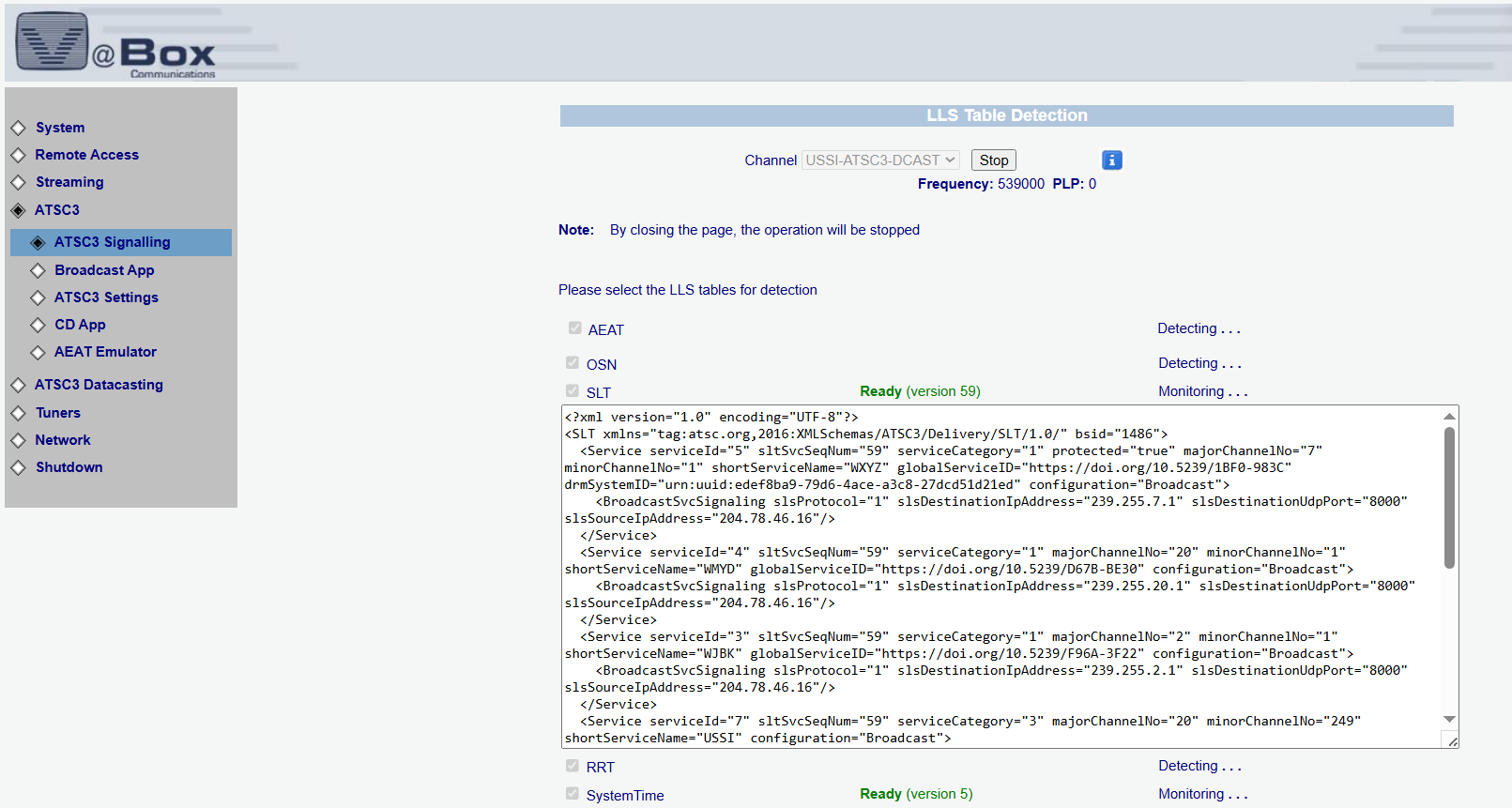
This section of the XLT interface enables in-depth monitoring of ATSC 3.0 signaling, including real-time detection and decoding of LLS tables such as AEAT, OSN, SLT, and RRT. Engineers can view raw XML service metadata, track PLPs, and verify broadcast configurations — essential tools for validating signal integrity and ensuring proper service delivery.
click to expand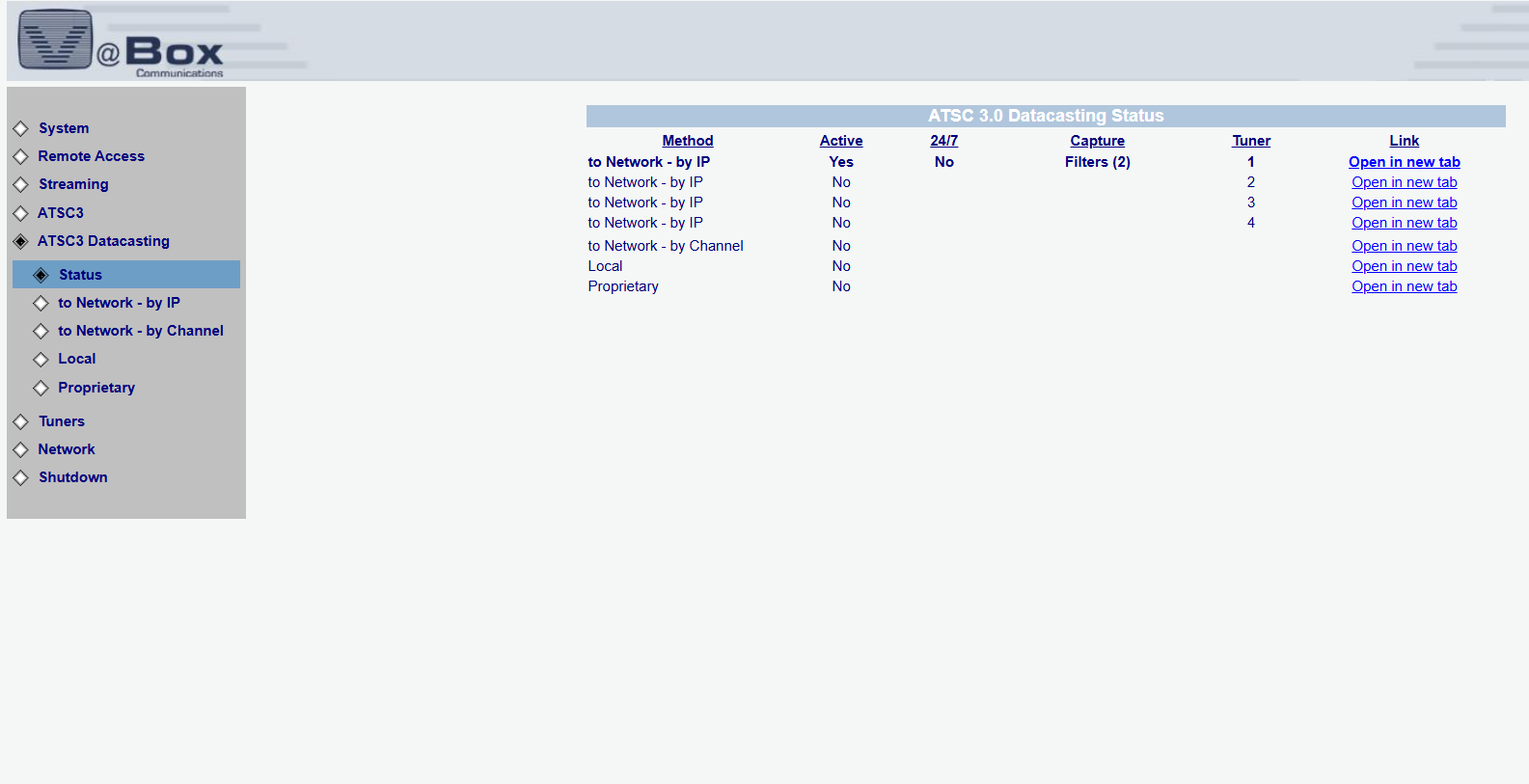
This screen displays the current status of all ATSC 3.0 DataCasting methods, showing which paths are active, running 24/7, or configured by IP, channel, or locally. It also provides quick access to individual tuner streams with real-time capture filter indicators — perfect for monitoring data flows and validating network distribution in live environments.
click to expand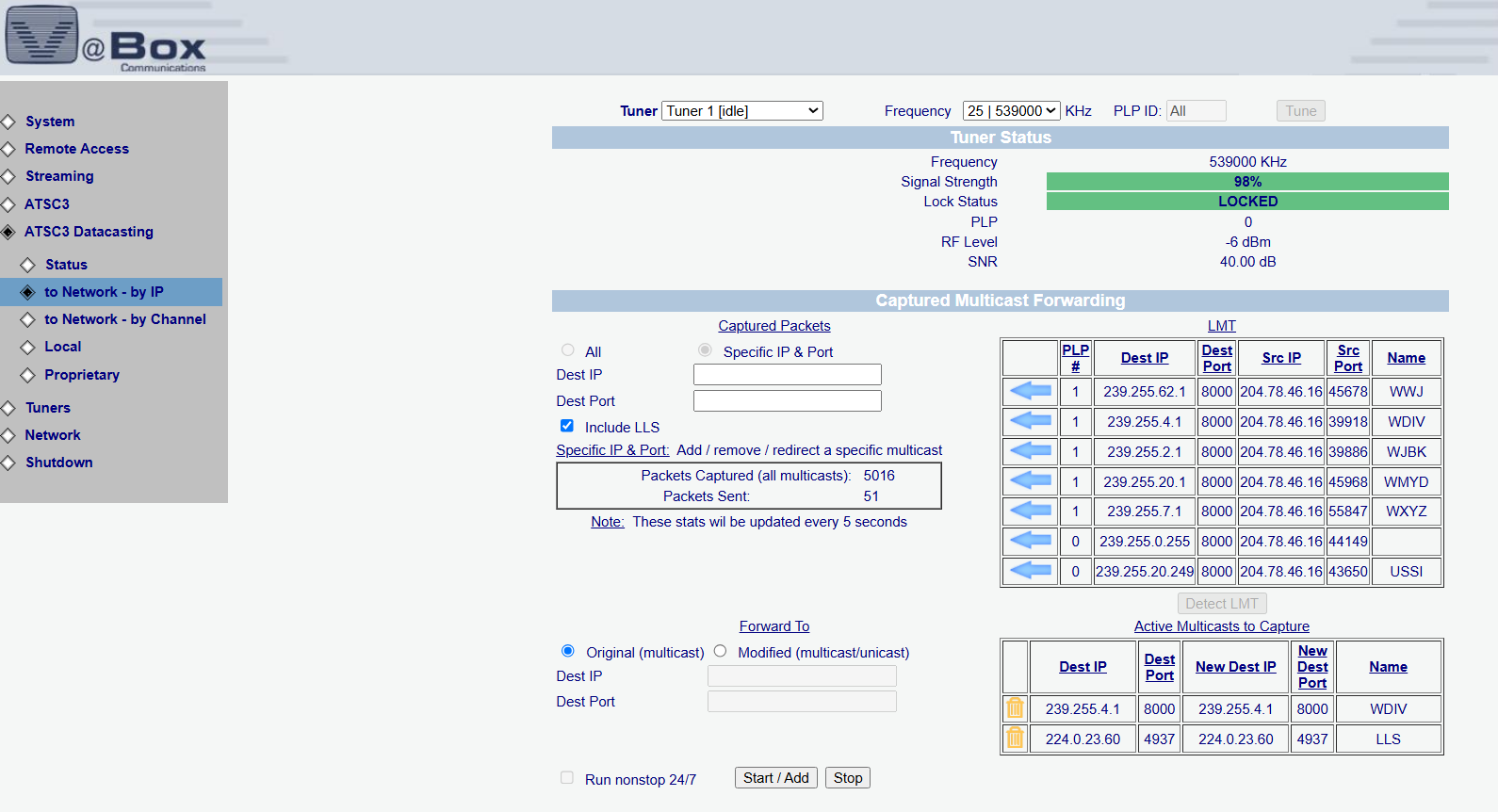
This screen allows precise configuration and real-time monitoring of multicast packet forwarding from ATSC 3.0 broadcasts to IP destinations. Users can view tuner status, select specific IP/Port pairs, and control LLS inclusion. The interface also tracks live packet stats and provides granular controls for modifying, redirecting, or running streams continuously — ideal for managing data distribution across enterprise networks.

This view lets users forward ATSC 3.0 data services directly to the network by selecting specific broadcast channels. With simple dropdown selection, users can activate data delivery from any detected ATSC 3.0 service and run it continuously — ideal for streamlined deployments requiring minimal manual configuration.
click to expand
The Local tab allows users to fetch and store broadcasted data files directly to internal or shared storage paths. With service selection, custom path configuration, and automated file cleanup options, this feature simplifies content caching for offline or later access. A return path option is also available for two-way communication when enabled.
click to expand
The interface allows users to monitor and control tuner settings, including frequency, signal strength, and lock status. It also offers a seamless way to configure proprietary datacasting services, selecting from options like Auto, Triveni, and S&T extraction methods. With the “Run nonstop 24/7” feature, the system ensures continuous operation until manually stopped, making it ideal for reliable, uninterrupted data streaming. This powerful tool is designed for optimal performance and ease of use in real-time broadcasting scenarios.
click to expand